In the past post I have show you how to change hostname in CentOS 6, but this time I'm gonna show you how to do it in CentOS 7 (noob guide)

If you an expert in Linux, you can get the hell outa here, this aint for you guys.
Ok here it is.
Method 1 - nmtui Command
You can set host name using nmtui command which has text user interface for new users:
You will see like this
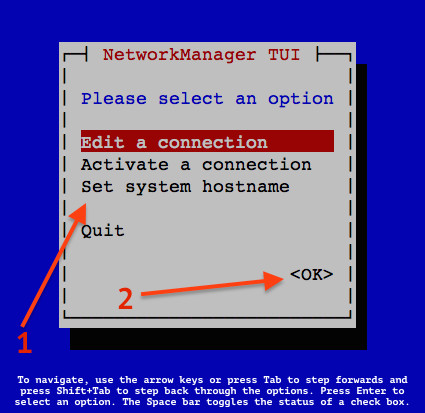 Use the Down arrow key > select the “Set system hostname” menu option > Press the “Ok” button:
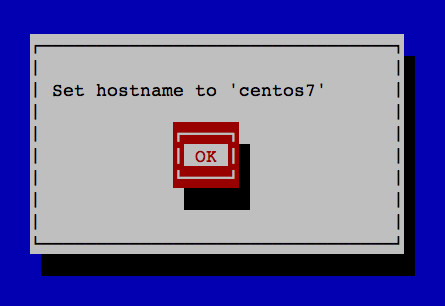
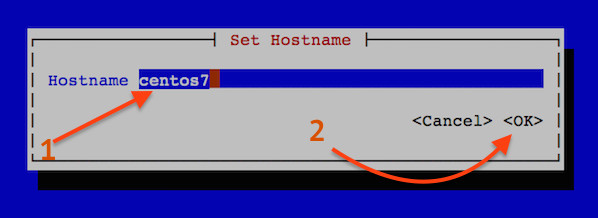 You will see the confirmation box as follows:
 Finally, restart hostnamed service by typing the following command
Method 2 - edit hostname file
Go to /etc/hostname, edit the file with the new name. Done.
Wow that was fast. Lol..
If you an expert in Linux, you can get the hell outa here, this aint for you guys.
Ok here it is.
Method 1 - nmtui Command
You can set host name using nmtui command which has text user interface for new users:
# nmtui
You will see like this
# systemctl restart systemd-hostnamed
Method 2 - edit hostname file
Go to /etc/hostname, edit the file with the new name. Done.
Wow that was fast. Lol..
Comments
Post a Comment